
Fashion product page conversion depends on one thing: whether the page answers the shopper's questions before they leave. The product page is where a fashion shopper decides. Everything else (ads, email, search) only gets them there. Yet product detail pages (PDPs) are often designed around what the brand wants to show rather than what the shopper needs to know before buying.
The average conversion rate for fashion clothing and accessories stores was 1.45% in October 2026, according to IRP Commerce, which tracks live trading data from online retailers on its platform, mainly in the UK and Ireland. In other words, more than 98 of every 100 visits ended without a purchase. Small improvements on the product page move that number.
This guide covers ten practical ways to increase conversion on fashion product pages, ordered by the question each one answers for the shopper.
What do fashion shoppers need to know before they buy?
Every apparel purchase online comes down to four questions:
- Will I like it? (style, colour, fabric)
- Will it fit me? (size and fit)
- Is it worth the price? (quality, value, reviews)
- What if I'm wrong? (delivery, returns)
A product page converts when it answers all four quickly. It loses the sale when any one is left open, and in fashion, the fit question is the one most often left open.
Question 1: Will I like it?
1. Use imagery that answers questions, not just inspires
Show the item from the front, back and side, on a model and laid flat. Add close-ups of fabric, stitching and hardware. A short video of the garment moving tells shoppers more about drape and weight than any description.
2. Show it on more than one body
Shoppers find it hard to picture an item on themselves when it is only shown on one model. Where possible, show the item on models of different heights and sizes, and always state the model's height and the size they're wearing.
3. Write descriptions for decisions
Lead with what the shopper can't see: fabric composition and weight, stretch, lining, care. Keep brand storytelling short and below the practical detail.
Question 2: Will it fit me?
This is where most fashion product pages lose shoppers. Uncertainty about size is one of the main reasons apparel shoppers leave without buying.
4. Give a personal size recommendation
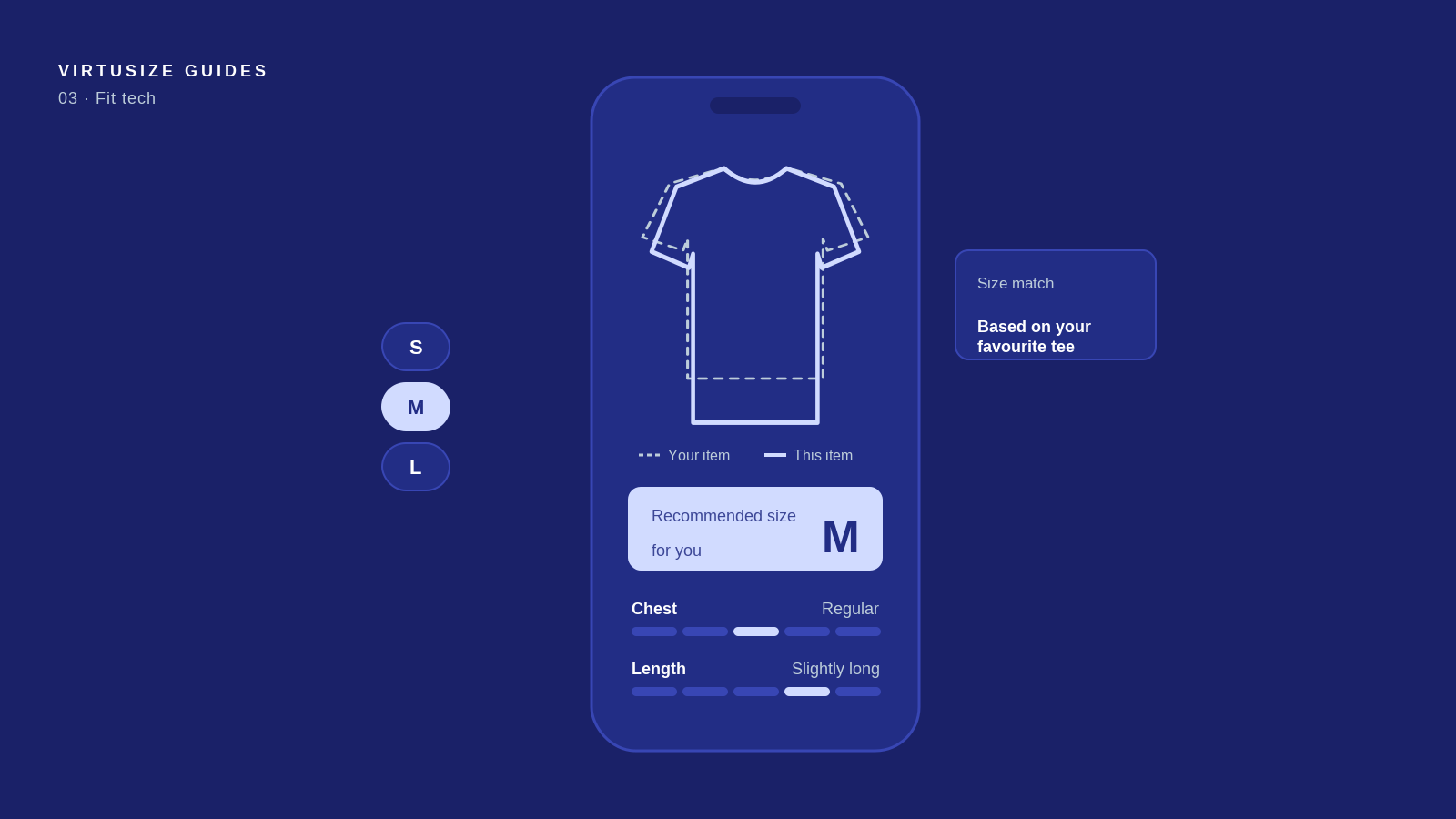
A size recommendation tool beside the size selector answers "which size?" for each shopper. It is the single highest-impact change most fashion PDPs can make. L.L.Bean saw a 5.4x conversion uplift among shoppers using Virtusize (read the case study). What Is a Size Recommendation Tool? explains how these tools work.
5. Show fit, not just size
Visual comparison against a garment the shopper already owns shows whether the new item will be longer, wider or slimmer. This answers the question a size label can't. We cover this in more depth in Boosting Customer Conversion with Fit Technology.
6. Publish product-specific measurements and fit notes
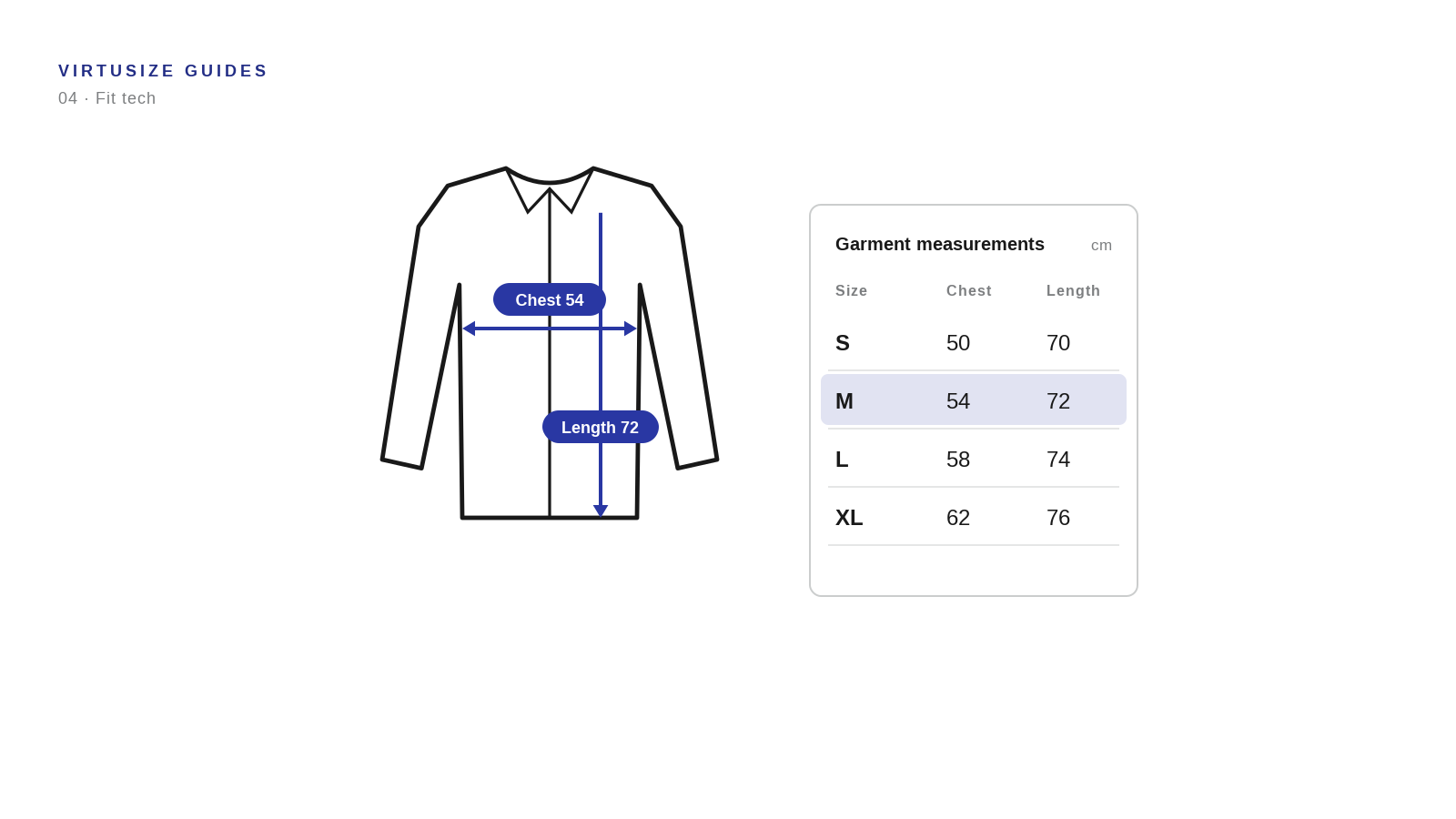
Garment measurements and a one-line fit note ("runs small, size up if between sizes") support shoppers who want detail. How to Build a Size Chart That Reduces Returns covers how to build a size chart that works.
Question 3: Is it worth it?
7. Make reviews useful for fit
Reviews that include the reviewer's height, usual size and the size they bought are far more useful than star ratings alone. Prompt for this in review requests, and summarise fit feedback ("most reviewers say true to size").
8. Show stock and size availability clearly
Grey out unavailable sizes rather than hiding them, and offer back-in-stock alerts. Low-stock messages work only when they are true.
Question 4: What if I'm wrong?
9. Put delivery and returns information beside the button
Shoppers shouldn't have to search for the returns policy. A single line under the add-to-cart button ("Free delivery over ¥X · Free returns within 30 days") removes a common last-second hesitation. Adjust to your actual policy.
The whole page
10. Design for mobile first
A large share of fashion browsing happens on phones. Check that images swipe smoothly, the size selector and size guide are reachable with one thumb, and the add-to-cart button stays visible as the shopper scrolls. Test page speed after every new script or widget.
Fashion product page checklist
- Front, back, side, detail and on-model images
- Video showing movement
- Model height and size stated
- Fabric composition, weight and stretch listed
- Personal size recommendation beside the size selector
- Visual fit comparison
- Product-specific garment measurements
- Fit note based on return data
- Reviews with height and size bought
- Delivery and returns line under the add-to-cart button
- Sticky add-to-cart on mobile
- Page speed checked after changes
How do you measure the impact?
Test one change at a time and compare product-page conversion rate, add-to-cart rate and return rate together. A change that lifts conversion but also lifts returns hasn't helped.
The bottom line
Fashion product pages convert when they answer four questions: will I like it, will it fit, is it worth it, and what if I'm wrong. Fit is the one most pages leave open, and closing it is often where the biggest gains are.
See a Virtusize-enabled product page in action. Try the demo
Frequently asked questions
What is a good conversion rate for a fashion e-commerce site?
Benchmarks are in the low single digits: IRP Commerce measured an average of 1.45% for fashion clothing and accessories stores in October 2026. Rates vary by market, device and price point, so compare against your own history and track product-page conversion separately from site-wide conversion.
What is the most important element on a fashion product page?
The information that answers "will it fit me?" Size and fit uncertainty are among the main reasons fashion shoppers leave without buying.
Do size recommendation tools increase conversion?
Yes. L.L.Bean saw a 5.4x conversion uplift among shoppers who used Virtusize.
How can I improve conversion on mobile?
Keep images swipeable, place the size selector and size guide within thumb reach, use a sticky add-to-cart button and keep the page fast.